


Does Formatting a Hard Drive Erase Data? What UK Businesses Need to Know
Formatting a hard drive can seem like the easy way to remove company data. However, formatting a drive is not always the same as securely erasing the information stored on it. Formatting a drive can remove access to the files, but doesn’t provide the level of security required when disposing of business equipment.
Understanding the difference between formatting and proper media sanitisation is an important part of responsible IT disposal. This is especially important for business hard drive disposal, where sensitive data must be protected before equipment leaves the business.
Does Formatting a Hard Drive Erase Data?
Formatting a hard drive will restructure its file system. Depending on the method used, it may remove reference to existing files without securely overwriting the data.
This means that information may remain on the drive and potentially be recovered using specialist data recovery techniques.
There are two common types of formatting:
- Quick format
- Full format
The level of data removal achieved can differ between these methods.
Quick Format vs Full Format
Quick Format |
Full Format |
| Deletes file system | Erases data |
| Data isn’t securely erased | Data is overwritten |
| Doesn’t check for bad sectors | Checks and marks bad sectors |
| Resets file systems | Resets and rebuilds file systems |
Can Data Be Recovered After Formatting a Hard Drive?
In some cases, yes.
After a quick format, data may remain on the hard drive even though the operating system no longer displays the original files. Specialist recovery tools may be able to identify and reconstruct information that has not been securely erased.
The potential for recovery depends on factors including:
- The type of format performed
- Whether new data has been overwritten
- The condition of the drive
- The tools and techniques available for recovery
For businesses handling sensitive information, the possibility of recoverable data creates security risks.
Is a Full Format Enough Before Disposal?
Businesses should be cautious about treating a full format as their only data security measure.
Formatting and secure data erasure have different purposes. A format prepares the device for use, whereas a secure wipe or drive overwrite is intended to remove data in a way that prevents it from being recovered.
Before disposing of IT equipment, business’s should consider:
- The sensitivity of data
- The type of storage device
- Whether the drive will be reused
- The businesses data security requirements
If a business needs to prove that data has been securely removed, simply formatting the drive may not provide overwrite verification or supporting documentation.
Is Formatting a Hard Drive Secure?
Formatting can be useful when preparing a device for a new installation, but it should not automatically be considered a secure data destruction method. Similarly, a factory reset may restore a device to its default settings, but it does not always guarantee that business data has been permanently removed.
A formatted drive may appear to contain no personal or business information, but this does not necessarily mean the data has been securely sanitised.
This is particularly important when equipment is being reused, remarketed or recycled. Once a device leaves the business, businesses need to be confident that sensitive information cannot be accessed by someone else.
What Is the Safest Way to Erase a Business Hard Drive?
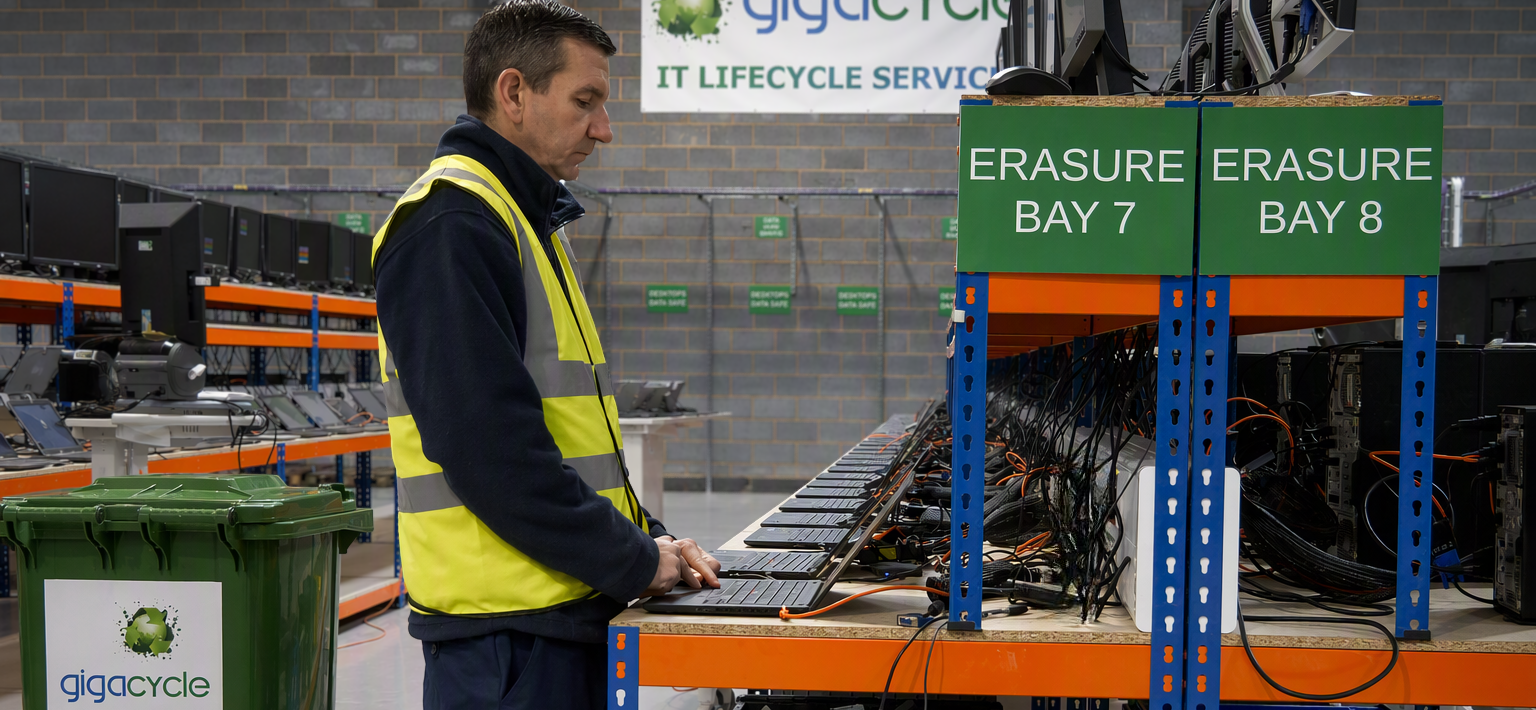
Protecting sensitive business data is essential when erasing a hard drive. The safest way to erase a business hard drive is to use a certified data destruction process that permanently removes all information and prevents unauthorised recovery.
Best practice for secure hard drive erasure includes:
- Using professional data wiping software
- Following industry standards
- Verifying the erasure process
- Maintaining compliance records
- Working with a certified ITAD provider such as Gigacycle
This ensures all sensitive business data is permanently removed, reducing the risk of data breaches and supporting regulatory compliance.
What Happens to Drives That Cannot Be Securely Wiped?
Not every device is suitable for secure reuse.
When a hard drive is damaged, faulty, or cannot be securely erased, physical destruction is the recommended option to ensure data cannot be recovered.
Hard drive shredding for failed or high-risk drives permanently destroys the storage device, preventing the device from being reused and reducing the possibility of recovering the original information.
This is an important option for businesses managing failed drives or equipment containing highly sensitive data.
Formatting vs Secure Data Destruction
The difference between formatting and secure data destruction:
Formatting |
Secure Data Destruction |
| Prepares drive for reuse | Specifically removes stored data |
| Quick format may leave data recoverable | Designed to prevent data recovery |
| Does not always provide secure verification | Uses industry-standard sanitisation software |
| May not be suitable before disposal | Can provide certification and audit documentation |
| Designed for secure disposal and reuse |
Secure Data Destruction Services
For businesses managing large numbers of devices, professional secure data destruction services can provide a structured approach to retiring equipment.
A specialist provider like Gigacycle can help businesses manage the process from collection through to data sanitisation, physical destruction and final disposal.
These services can be useful during:
- Large-scale IT refreshes
- Office closures
- Business relocations
- Equipment upgrades
- Data centre decommissioning
Using a documented process can help a business maintain control over it’s equipment and demonstrate that sensitive information has been handled appropriately.
Conclusion
So, does formatting a hard drive erase data? Not necessarily. A quick format can leave information recoverable,while a full format should not automatically be treated as a replacement for secure data sanitisation.
For businesses going through business hard drive disposal, the safest approach is to choose a data removal method that is suitable for the hard drive. When secure erasure is not appropriate, physical destruction may be the better option.
By following data destruction best practices and using secure processes for equipment, businesses can reduce data breach risks and dispose of their IT equipment with greater confidence.