


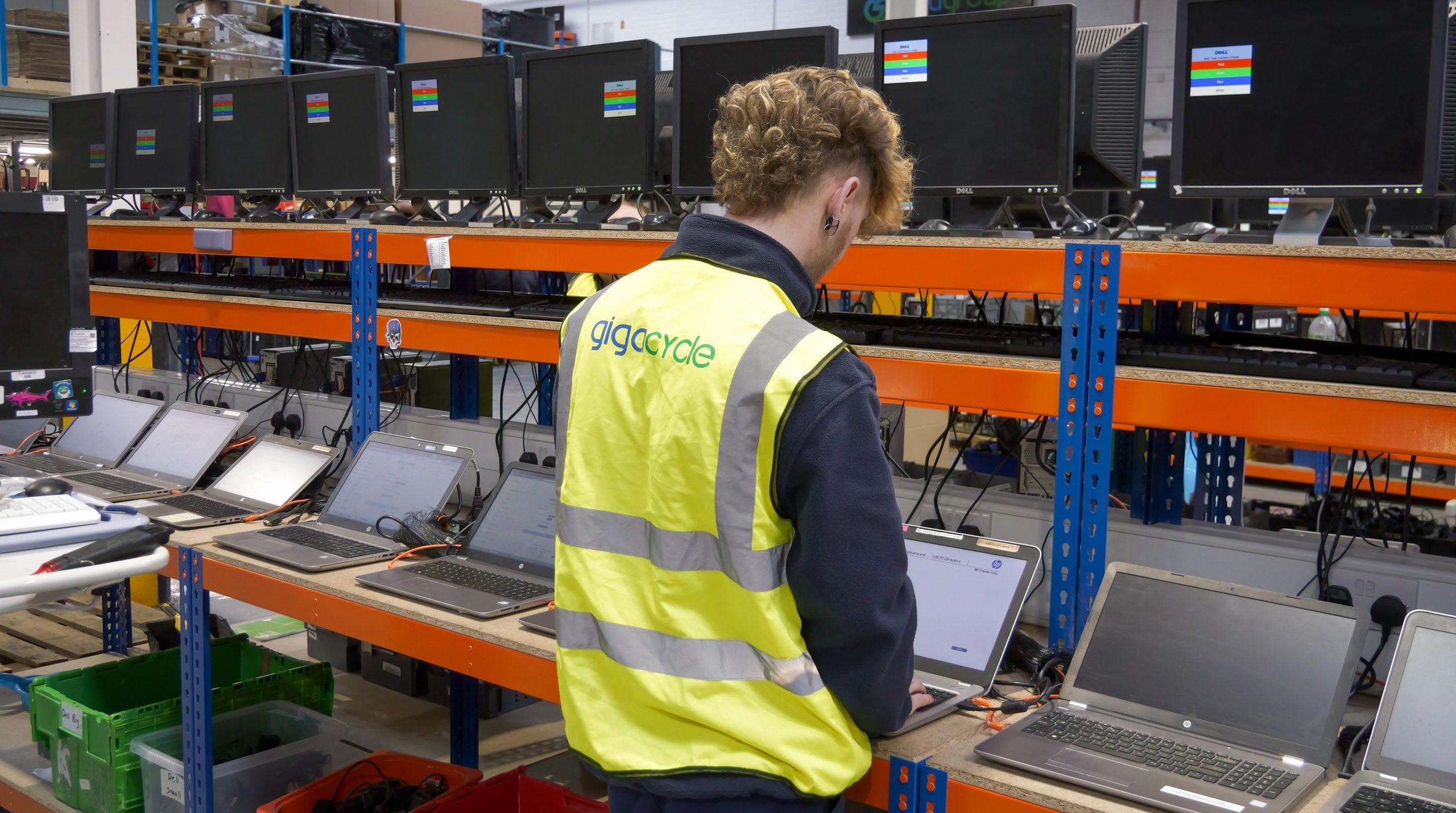
5 mistakes businesses make when disposing of IT equipment
Why IT Disposal Mistakes Matter
Outdated IT equipment poses a significant threat to the efficiency and growth of a business. With most businesses choosing to maintain their current IT equipment or simply upgrading. IT disposal can come as an afterthought due to the lack of awareness around the risks and regulatory penalties. As businesses may not be prioritising IT disposal this is when common IT disposal mistakes appear. The improper electronic disposal risks include data breaches, regulatory fines, reputational damage and environmental harm. Understanding these risks and knowing how to avoid them is essential for any business that handles sensitive data.
Below are five of the most common mistakes businesses make when disposing of IT equipment and how to prevent them.
Assuming Deleting Files Is Enough
Many people still ask is deleting files enough before selling a computer? The answer is no. Deleting files moves the file to a different location which is no longer visible or accessible to the user. The data itself still sits on the devices and can be retrieved with recovery software. However erasing files is not only clearing out the files you’re also wiping any data you may have deleted in the past which is till lingering in the background. File erasure can be done using certified data erasure or data destruction methods.
Another question is can data be recovered after a factory reset? The answer is yes as a factory reset does not guarantee complete data removal. A factory reset involves restoring IT equipment to its original factory settings wiping all data and reinstalling the operating systems. However not all data may be erased as there may still be data left in unallocated storage sectors such as customer records, financial data, password and emails which could be recovered.
Ignoring Hidden Data in Office Equipment
Another mistake is forgetting about hidden data in office equipment. Most business just focus on disposing laptops and desktop, but a wide range of devices store sensitive information. Such as printers, photocopiers, servers, scanners and mobile phones. Modern office equipment often includes internal storage that retains various types of data such as login credentials. For example, a printer may store copies of every printed document. Because these devices are not seen as traditionally storing data unlike computers they are often overlooked during disposal. Creating security blind spots. This can create serious risk for a business as the equipment can be resold without proper certified data erasure making the business at risk of data breaches if the equipment gets into the wrong hands.
Storing Old Laptops and Devices in the Office
Some businesses don’t get around to disposing of their old IT equipment they simply store it in a cupboard in the office. This leads to the risks of storing old laptops in the office which is greater than most businesses even realise. Stored devices still contain data which is accessible to staff, visitors or intruders which could lead to data exposure or regulatory violations. Also if the business has poor asset tracking, they may not know how many laptops they have or where they are stored causing them to get lost or stolen.
There aren’t just data risks to storing old laptops in the office but also physical risks. Old electronics can become a fire hazard due to the batteries degrading. Keeping old IT equipment without proper controls also violates data protection principles as businesses are required to minimise data retention.
Not Following GDPR Data Disposal Requirements
One of the most serious mistakes businesses can make is failing to comply with GDPR data disposal requirements. Under GDPR businesses are legally responsible for ensuring that personal data is securely destroyed when it is no longer needed.
This means businesses must:
- Make sure data is permanently erased
- Use secure Disposal methods
- Maintain evidence of destruction
- Protect data throughout the process
If businesses fail to follow GDPR and disposes of IT equipment incorrectly they can face significant penalties. Fines can reach up to 20 million or 4% of global annual turnover whichever is higher. Another important part of GDPR is that it doesn’t end when the IT equipment leaves the building. Businesses remain fully responsible for the data until it is disposed of.
Using Uncertified Disposal Methods
Another mistake is relying on unlicensed disposal services. Businesses may choose to use cheap recyclers without understanding the risks. Without certified data erasure there is no guarantee that data has been properly destroyed. Some disposal providers may claim to wipe the data but don’t follow recognised standards. This may leave businesses exposed to data recovery and compliance failures. Choosing to use certified disposal providers ensures the safe and responsible management of IT equipment. Plus, compliance with environmental regulations and data security.
Businesses such as healthcare providers and government organisations are often required to use physical hard drive destruction to ensure that sensitive data cannot be recovered. This method involves using shredders to physically destroy storage devices making the data impossible to be accessed.
How to Securely Dispose of Business Computers
To avoid these mistakes business, need a structured approach to securely disposing of business computers. The safest method is to work with a certified ITAD provider such as Gigacycle. Providers will maintain a clear chain of custody making sure each device is tracked from collection to disposal. Having a clear chain of custody helps businesses meet legal requirements such as GDPR, reducing data breach risks and legal penalties.
IT disposal is a core part of data security and compliance strategy. The common IT disposal mistakes businesses make such as file deletion, ignoring hidden data, storing devices incorrectly and using uncertified provider all put businesses at risk. The improper electronics disposal risks include data breaches, GDPR fines and reputational damage. With increasingly strict regulations businesses must treat IT disposal as a priority. By understanding these mistakes and how to solve them businesses can protect sensitive data, remain compliant and ensure responsible management of their old IT equipment.