


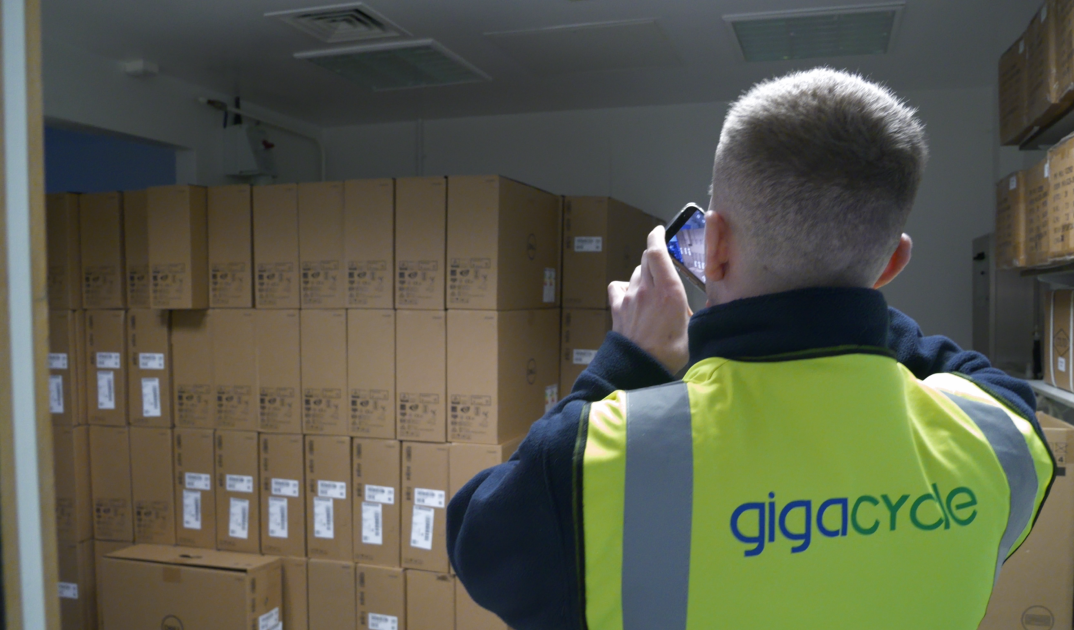
Computer Disposal & Collection: What Happens Before, During and After Pickup
For most businesses replacing old IT equipment is a routine part of businesses operations. Effective computer disposal requires planning, secure handling, and a structured collection process to ensure assets are managed responsibly from start to finish.
Whether you need a one-off computer collection or ongoing support for large scale IT refresh projects, understanding what happens before, during, and after pickup can help businesses prepare properly and minimise risk.
This guide explains the full asset collection process, from booking a collection though to final IT asset disposal.
Why Proper Computer Disposal Matters
Old computers often contain sensitive information, even when they are no longer in active use. Simply storing redundant equipment in cupboards or disposing of it incorrectly can create security, compliance and environmental risks.
A structured approach to computer disposal helps businesses:
- Maintain compliance with data protection requirements
- Improve visibility over retired IT assets
- Support environmental sustainability goals
- Reduce the risk of equipment being lost of mishandled
- Ensure secure processing through professional ITAD services
Whether arranging pc disposal for a couple of devices or a large business computer collection, having a clear process in place is essential.
What Should a Business Prepare Before Collection?
Preparation is an important part of the overall collection workflow
Before a scheduled IT pickup, businesses should:
- Create an inventory of assets being collected
- Ensure access routes are clear
- Confirm collection locations
- Identify any equipment requiring special handling
Creating an inventory of assets before collection is essential as this improves tracking throughout the asset collection process and ensures all equipment is accounted for.
Proper preparation helps collection run efficiently while reducing disruption to business operations.
Booking a Collection
The disposal process usually starts with a collection booking.
When arranging a computer pickup service, businesses will typically provide information such as:
- Collection address
- Businesses name
- Equipment type
- Estimated quantities
- Service type
When businesses need to book an IT equipment collection, providing accurate information from the start helps avoid delays and ensures a smooth process.
What Happens Between Booking a Collection and Pickup?
Once a collection booking has been confirmed, the ITAD provider will begin planning the collection. This stage is an important part of the overall collection workflow and helps ensure assets can be removed efficiently and securely.
Businesses may be asked to provide information about the type of equipment being collected, any access requirements and any site-specific restrictions. This allows the collection to be scheduled effectively.
By planning collection in advance, businesses can ensure a smoother computer collection experience and reduce delays on the day of the pickup.
Why Secure Collection Matters
A professional secure collection process helps protect IT assets from the moment they leave the customer’s site.
Many businesses focus on what happens after equipment arrives, but security begins during the collection itself. Equipment should remain controlled throughout transportation to prevent loss, damage, or unauthorised access.
Professional ITAD providers use dedicated collection procedures such as using GPS tracked and CCTV fitted vehicles to provide visibility and accountability throughout the journey.
This approach helps businesses maintain confidence that equipment is being handled appropriately through IT pickup process.
What Happens During an IT Equipment Collection?
The collection stage is where assets move from the customers site to the ITAD provider.
When arriving collection teams will typically:
- Verify collection details
- Confirm equipment to be removed
- Load equipment securely
- Record collection information
The objective is to maintain a clear chain of custody throughout the collection process.
A professional secure collection process helps ensure assets remain protected throughout transit.
How Equipment is Transported After Pickup
ITAD logistics play a critical role in secure computer disposal.
Transporting IT equipment involves more than simply moving assets from one location to another. Providers must ensure equipment is handled securely and tracked appropriately throughout the journey.
Many professional ITAD providers make use of:
- GPS tracked vehicles
- CCTV fitted vehicles
- Secure transportation procedures
By using GPS tracked vehicles this provides visibility over asset movements, while CCTV fitted vehicles help support security and accountability during transportation.
What Equipment Can Be Included in a Collection
A service such as businesses computer collection can support businesses of all sizes.
Collections may include:
- Desktop computers
- Laptops
- Monitors
Whether businesses need to recycle computers as part of an office upgrade or arrange a full-scale pc recycling during a relocation project, structured collection process helps ensure equipment is managed correctly.
What Happens After a Collection?
After the equipment has been collected, the next step is processing.
Assets are received at a secure processing facility where they undergo assessment and processing.
Depending on the condition of the equipment, assets may be:
- Refurbished for reuse
- Sent into remarketing channels
- Recycled for material recovery
- Sent through disposal methods
This stage is an important part of responsible computer disposal and helps maximise value recovery where possible.
What Documentation Is Provided After Collection?
Documentations play an important role in demonstrating responsible computer disposal and compliance.
Businesses may receive documentation such as:
- Destruction certificates
- Environmental Reporting
- Consolidation Reports
- Chain of custody documentation
Maintaining documentation helps businesses demonstrate that the disposal of computer equipment has been carried out through controlled processes.
These records can also support internal audits, compliance requirements, and wider IT asset management programmes.
Common Mistakes Businesses Make When Disposing of IT Equipment
There are multiple common mistakes businesses make when disposing of IT equipment.
These include:
- Storing old equipment indefinitely
- Failing to maintain asset records
- Using inappropriate disposal methods
- Delaying collection
- Treating IT assets as general waste
These issues can create unnecessary operational, compliance and environmental challenges.
Working with an experienced provider helps businesses avoid these problems while ensuring a more efficient disposal process.
Conclusion
Effective computer collection and computer disposal involve much more than simply removing unwanted devices from a workplace. A successful project requires planning, secure transportation, structured ITAD logistics, and responsible processing after collection.
From initial collection booking through to final IT asset disposal, every stage of the collection workflow plays an important role in protecting assets and maintaining accountability.
Whether you need a one-off computer pickup service or ongoing businesses computer collection, understanding the process helps ensure equipment is handled securely, efficiently and responsibly from start to finish.