


Office Closure IT Disposal Checklist: How to Clear Sites Without Losing Control of Data
Office closures are now a routine part of how businesses operate. Whether you are downsizing, merging locations, or transitioning to hybrid working one challenge which is consistent is how to manage IT equipment securely during the move. Without a structured approach to office closure IT disposal businesses risk losing control of assets, exposing sensitive data, and failing GDPR compliance requirements. From laptops and desktops to printers and mobile devices every piece of equipment must be tracked, wiped, and processed correctly.
This guide provides a practical checklist to help IT managers safely handle office clear-out IT equipment, maintain accountability, and even unlock value through IT asset remarketing.
Why Office Closure IT Disposal Matters
When an office shuts down or relocates IT equipment is often moved quickly and sometimes without proper oversight.
This can create risks such as:
- Devices go missing during desk clear-out
- Data is left on laptops, printers, or storage devices
- No clear chain of custody is maintained
- Assets are disposed of without documentation
A structured office closure computer disposal process ensures that every device is accounted for, securely handled and processed in line with compliance requirements.
How Do You Dispose of IT Equipment During an Office Closure?
Disposing of IT equipment during an office closure requires controlled, end-to-end process covering asset tracking, data security, transport, and final disposal.
This means knowing exactly what you have, securing it before it leaves the site, ensuring all data is destroyed and maintaining a full audit trail through to recycle or reuse.
Office Closure IT Disposal Checklist
Asset Audit and Inventory
Start by creating an inventory of all IT equipment scheduled for disposal.
Your assets inventory must include:
- Device type and model
- Serial number and asset tags
- Current location
- Data sensitivity classification
- Storage media type
- Current condition
Accurate tracking is essential for both security and IT asset disposal compliance.
Plan a Desk Clear-Out
A desk clear-out is where many risks may occur.
Ensure that:
- Employees return all company devices
- Personal and businesses devices are separated
- No equipment is unaccounted for
This stage is critical for maintaining control before brand closure hardware removal begins.
Data Backup
Before any equipment is wiped or decommissioned all the required data must be securely backed up. This includes files stored on devices, shared drives, and any system data.
Backups should be verified before office IT disposal happens. Only once data has been backed up should the equipment move into data destruction or secure transport.
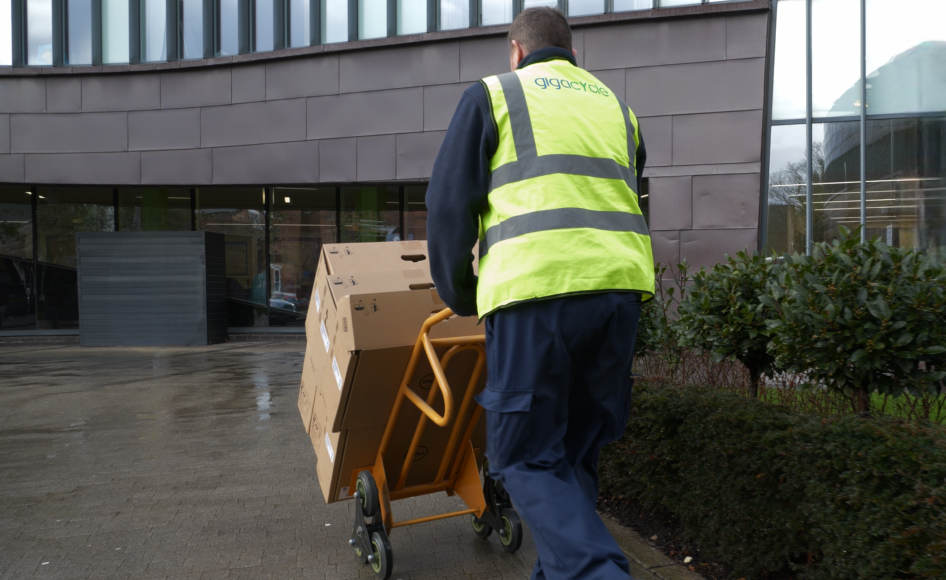
Arrange Secure Transport
All equipment should be moved using secure transport methods.
This includes:
- Vetted drivers and staff
- GPS tracked vehicles
- Scheduled collections with documentation
Data destruction
Equipment must undergo data destruction before disposal or reuse. There are two main methods equipment can go through which are data erasure and physical destruction.
Data erasure can be used for equipment that will be remarketed or reused as it securely removes all data but keeps the device intact. However, physical destruction is used for broken equipment or devices containing extremely sensitive data ensuring the data cannot be recovered.
Maximising IT Asset Value Recovery
Closure does not have to mean financial loss. Through IT asset remarketing businesses can recover value from their IT equipment.
By remarketing IT assets, businesses can:
- Recover financial value from reusable devices
- Contribute to environmental and sustainability goals by extending the lifecycle of equipment.
Documentation and Compliance
Every stage must be documented to ensure GDPR compliance.
This includes:
- Asset tracking reports
- Data destruction certificates
- Transport and chain of custody reports
- Recycle or remarketing documentation
What Should Be Wiped Before a Move?
When planning an office move IT disposal understanding what needs to be wiped is critical to avoiding data exposure.
Any device that stores or processes data should be included in your data destruction plan. This typically includes laptops, desktops, servers, and printers. Mobile phones also require handset wiping as part of a secure mobile device disposal and smartphone recycling process.
For many businesses, the safest approach is to treat all equipment as data bearing as this ensure nothing is overlooked during branch closure hardware removal or site consolidation IT disposal.
How Do You Keep Chain of Custody During an Office Clear-Out?
Maintaining a clear chain of custody is one of the most important parts of the office closure IT disposal. During a busy office clear-out IT equipment phase devices can be misplaced or mishandled.
A proper chain of custody means every asset is tracked from the moment it leaves to the final stage of IT asset disposal.
For businesses operating under GDPR compliance a well-documented chain of custody ensure accountability, protects sensitive data and provides a clear audit trail if required.
What Happens to Laptops and Printers in a Site Consolidation?
When businesses go through a site consolidation managing devices such as laptops and printers becomes a critical part of the process, particularly from a data security and assets recovery perspective.
- Laptops are wiped and either redeployed or remarketed
- Printers are cleared of stored data and recycled or reused
- Older and damaged devices are securely disposed of
The key is to ensure that all devices especially those with internal storage go through proper data destruction.
How to Dispose of Business Laptops Securely
When considering how to dispose of business laptops securely, businesses must prioritise data protection and compliance to minimise the risk of sensitive information being exposed.
Best practice include:
- Using certified wiping tools
- Verifying that data is fully removed
- Tracking each device individually
- Maintaining documentation
Laptops can be a high-risk device due to the amount of data they contain.
Office Moves vs Office Closures
When comparing office moves vs office closures it is important to understand that while both involve handling IT equipment, they present different logistical and data security challenges.
| Office Moves | Office Closures |
| Equipment may be reused in a new location | Equipment is often retired or disposed of |
| Requires secure transfer between sites | Requires a full office closure computer disposal |
| Data wiping may be delayed until redeployment | Bigger focus on IT asset disposal and compliance |
Common Risks During Office Closure IT Disposal
During an office IT closure failing to follow a structure process can expose businesses to a range of operational, financial and data security risks.
Lost or Untracked Devices
Assets can go missing during a rushed desk clear-out.
Data Breaches
Unwiped devices can expose sensitive information.
Compliance Failures
Lack of documentation can lead to GDPR issues.
Missed Value Recovery
Reusable assets may be discarded instead or remarketed.
Having a structured checklist helps businesses avoid these mistakes.
IT disposal in Office Decommissioning Projects
Office closures are often part of decommissioning projects where careful planning is needed to ensure IT assets are managed safely and efficiently. Without proper planning equipment can be overlooked, data security is at risk and compliance requirements may be missed.
These projects may include:
- Site consolidation IT disposal
- Infrastructure upgrades
- Transition to cloud-based systems
By including IT asset disposal into decommissioning plans ensures businesses have more secure, complaint and well organised transition, while also maximising IT asset value recovery.
Conclusion
Office closures can be complex, but they do not have to be risky.
By following a structured office closure IT disposal checklist you can:
- Protect sensitive data
- Maintain GDPR compliance
- Keep full visibility over assets
- Maximise value through IT asset remarketing
A clear and documented approach helps ensure everything is managed securely and in line with compliance requirements throughout the process.